By the Minana Tech team · Published 14 October 2026
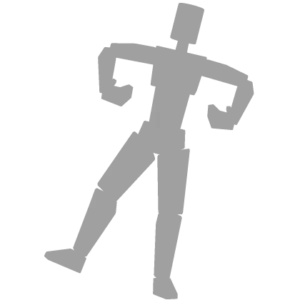
Tilt is a relaxed emote in which the avatar leans its body slightly to one side with an arm bent, like a casual pose. The lean is small, so it looks calm and confident.
The creator is Roblox, and the Roblox catalog lists Tilt as an emote. When we checked on 19 November 2026, the price was 0 Robux, and the item can be taken straight from its catalog page.
How to get Tilt
- Open the item’s Roblox catalog page with the button at the top of this page.
- Log in to your Roblox account in the browser or in the app.
- Press the Get button. The price next to it should read Free.
- Open the Avatar menu and look for Tilt under emotes.
If the page shows a Robux price instead of Free, the item is no longer free. Check the status at the top of this page first so you do not buy it by accident.
How to use Tilt
- Open the Avatar menu in Roblox once the emote is in your inventory.
- Go to the emotes section and add Tilt to one of the slots.
- Save, join a game and pick that slot from the emote wheel.
Emotes are placed in a slot of the emote wheel. In a game, open the wheel with the emote button and pick the slot. Some games switch emotes off.
Design and movement of Tilt
In the item image the emote is shown as a grey silhouette leaning with one arm bent to the side. The animation is clearer when played, and the movement is a small lean rather than a large gesture.
There is no colour or design to match, but the avatar style you wear shapes the impression. A subtle emote like this depends heavily on the outfit, and it suits relaxed, casual looks well.
Style: when to use Tilt
- Photo pose: use it for a screenshot with friends.
- Waiting: use it while standing in a lobby or match queue.
- Hangout: use it in a social game when everyone is just chatting.
Is it worth getting?
Tilt has no in-game requirement, so taking it only adds one more item to your inventory. You can leave it unworn and come back to it when it fits an outfit.
Items like this are a simple way to try a different look without spending Robux.
Price and availability
The catalog does not show a stock limit for Tilt, but the creator can take an item off sale or set a price at any time. The status at the top of this page updates automatically.
Everything happens on the official Roblox catalog. Never give your password or a verification code to anyone who offers this item.
FAQ about Tilt
Is it really free?
The catalog price of Tilt was 0 Robux when we last checked on 19 November 2026. The price shown on Roblox is the one that counts.
Do I need Robux for it?
No Robux is needed while the catalog price is 0. If Roblox shows a price, the item is no longer free.
Where does it go after I get it?
It is added to your Roblox inventory. Open the Avatar menu to place it in an emote slot.
